If you have further questions on this article or to learn more, please contact support at support@settrax.com. We're here to support your success!

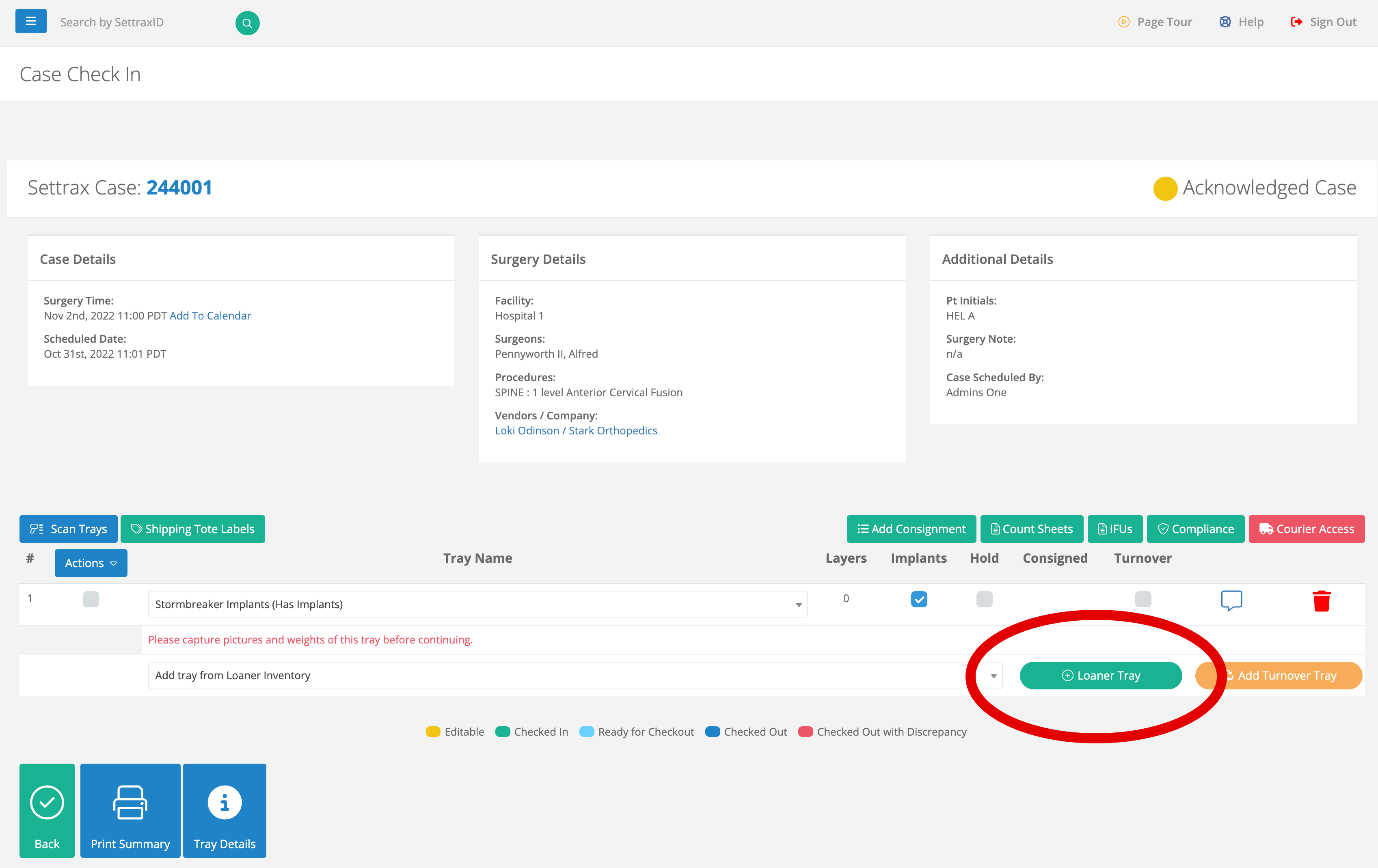
If you are in the process of acknowledging your case or are checking in your trays, you have the ability to use the Quick Add function to create loaner inventory without leaving the check-in page. To do this follow these steps.
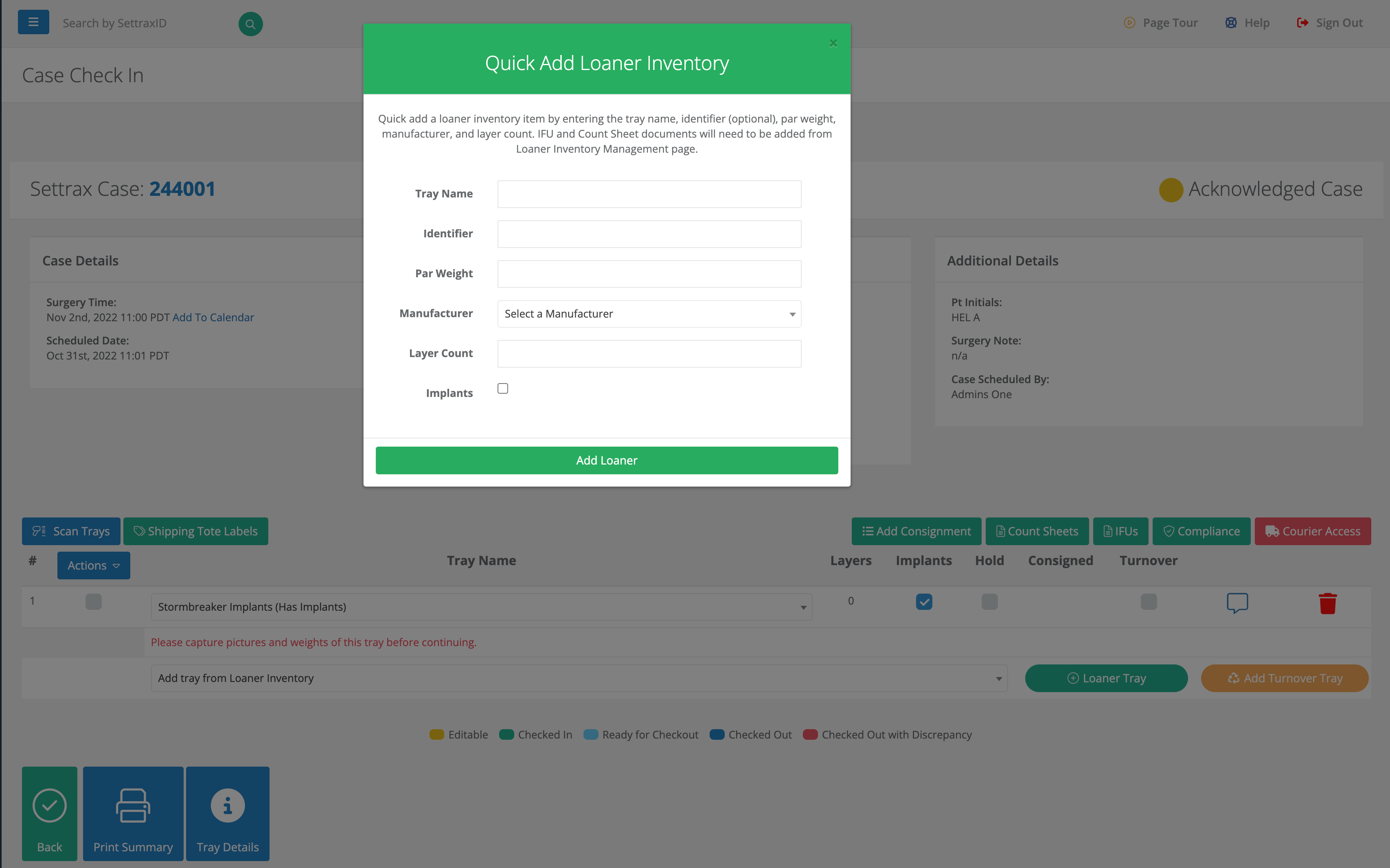
2. Fill out the information in the Loaner Add window to create the inventory item. After this is complete you can now use this tray in other acknowledgments or check-ins.
If you have further questions on this article or to learn more, please contact support at support@settrax.com. We're here to support your success!