

How to Update Your Password
-
Log in to Settrax.
-
From the navigation pane, select Settings > Account Settings.
-
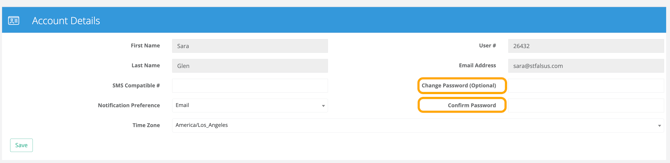
Enter your new password, then re-enter it to confirm.
-
Select Save.
Your new password must contain:
-
At least 8 characters long
-
1 uppercase letter
-
1 lowercase letter
-
1 number
-
1 special character (for example: !@#] )
If you have further questions on this article or to learn more, please contact support at support@settrax.com. We're here to support your success!